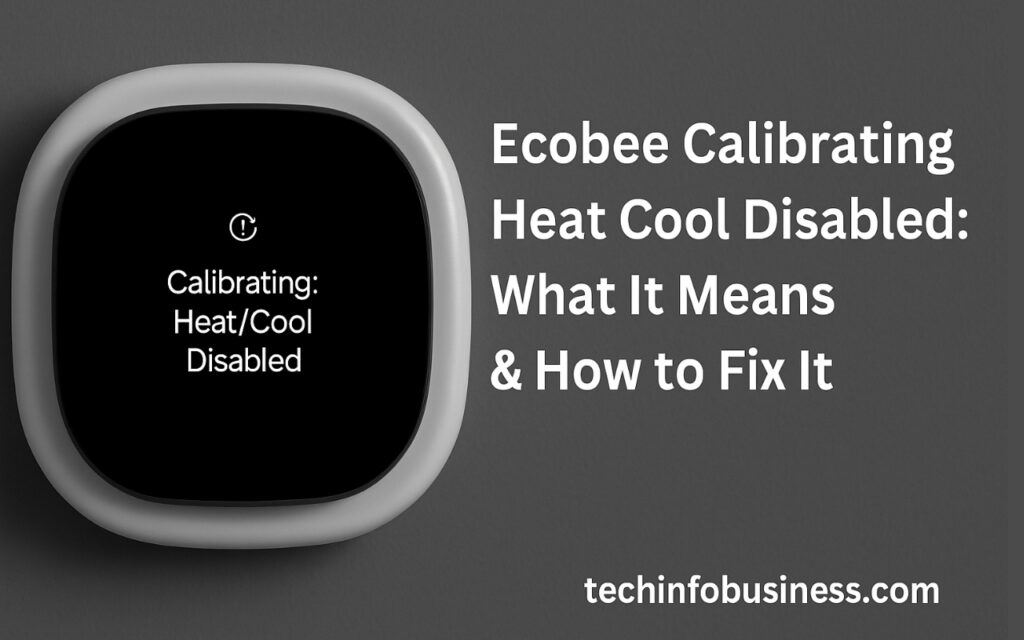
Smart thermostats have revolutionized the way we manage home climate control, and Ecobee is one of the leading brands in this domain. While Ecobee devices are typically reliable and intelligent, there are times when they display technical messages that leave homeowners puzzled. One such message is “Ecobee Calibrating Heat Cool Disabled”. This phrase may look alarming at first, especially if your heating or cooling system suddenly stops working, but in most cases, it’s a temporary and manageable situation.
In this article, we will explore in-depth what this message means, why it happens, and most importantly, how to fix it. We’ll also provide some useful tips for preventing this issue in the future so you can enjoy uninterrupted comfort in your home.
What Does “Ecobee Calibrating Heat Cool Disabled” Mean?
When your Ecobee thermostat shows the message “Calibrating: Heat-Cool Disabled,” it simply means the device is going through a calibration process to get accurate readings of the room’s temperature and environmental conditions. During this process, the thermostat temporarily disables heating and cooling functions to ensure it can gather unbiased and stable data.
This usually happens when the Ecobee is first installed, after a power outage, after a firmware update, or when the device is reset. The calibration typically lasts between 5 to 20 minutes, though in some cases, it may take longer if environmental factors interfere. While the process is usually nothing to worry about, understanding why it’s occurring can bring peace of mind and help you know whether additional action is needed.
Why Is Calibration Necessary in Ecobee Thermostats?
Calibration is a critical function of Ecobee’s smart technology. It allows the thermostat to detect the true ambient temperature without being affected by residual HVAC activity or sudden changes in environment. If the thermostat were to activate the HVAC system before completing calibration, it could misread the temperature and either overheat or overcool your home.
Think of calibration as the device’s way of getting to know your home’s unique climate signature. It ensures that when you set your thermostat to 72°F, that’s truly the temperature it’s maintaining. Without calibration, Ecobee might operate inefficiently, leading to higher energy bills or discomfort. It’s one of the many ways Ecobee optimizes energy usage and climate control intelligently.
Top Reasons Why You’re Seeing This Message
Although calibration is a routine process, understanding what triggers it can help you identify whether what you’re experiencing is expected or if there’s an underlying problem. Below are the most common causes:
1. New Installation
If you’ve just installed your Ecobee thermostat, the calibration message is completely normal. The thermostat is analyzing the environment to learn the heat exchange rate, humidity levels, and overall airflow of your home.
2. Power Loss or Outage
A sudden power loss can cause the thermostat to restart. When this happens, it will enter calibration mode again, especially if the ambient temperature has changed significantly during the outage.
3. Firmware Update
Ecobee periodically releases firmware updates to fix bugs or introduce new features. Post-update, the thermostat might recalibrate to ensure everything is working properly with the new software.
4. Reset or Reboot
If you’ve reset your Ecobee manually or through the app, calibration will follow as part of the startup sequence. Similarly, if the HVAC system itself has been reset, this may trigger the message.
5. Sensor Relocation or Addition
Adding new remote sensors or moving existing ones to new locations prompts the system to reassess the environment. This ensures consistent readings from multiple parts of the home.
How Long Should the Calibration Last?
Typically, calibration lasts between 5 and 20 minutes. During this time, heating and cooling are disabled, and your Ecobee will remain passive. However, if the calibration exceeds 30 minutes or seems to happen too frequently, it could indicate a deeper issue.
Some users report calibration lasting over an hour or even repeating several times a day. This is not normal and may be a sign of firmware corruption, power supply instability, or wiring issues. In such cases, troubleshooting is required.
Step-by-Step: How to Fix “Ecobee Calibrating Heat Cool Disabled”

Now let’s look at a few ways to fix this issue, especially if the calibration process is stuck or keeps reoccurring.
1. Wait Patiently for Calibration to Complete
The first thing to do is wait. In most scenarios, calibration resolves itself within 10–20 minutes. During this time, avoid pressing buttons or restarting the thermostat, as this could extend the process.
2. Check Power Supply Stability
Unstable voltage or frequent power cycling can cause the thermostat to reboot and recalibrate over and over again. If your HVAC system or Ecobee is not on a dedicated circuit, this might be the problem. Using a voltage stabilizer or checking for circuit overload can help.
3. Reboot the Thermostat
If the calibration message persists for more than 30 minutes, you can manually reboot the device.
Steps:
- Go to Main Menu > Settings > Reset
- Choose Reboot
- Let the device restart and watch for the calibration timer.
Alternatively, you can remove the thermostat from its base and reattach it after 30 seconds.
4. Update Firmware
Using the Ecobee app, check if there is a pending firmware update. A glitch in outdated firmware may prevent calibration from completing. Ensure your Wi-Fi is connected so the device can access the update server.
5. Verify HVAC Wiring
Loose wires or incorrect wiring configurations are a common cause of Ecobee misbehavior.
Steps:
- Turn off your HVAC breaker.
- Remove Ecobee from its base.
- Double-check that wires are fully inserted into the correct terminals.
- Reattach and turn the power back on.
If you’re not sure how your system should be wired, consult the Ecobee wiring guide or a professional technician.
6. Reset to Factory Settings
As a last resort, you may need to perform a full factory reset. This erases all settings and lets you set up the device from scratch.
Steps:
- Main Menu > Settings > Reset > Reset All Settings
- Follow the prompts for initial setup.
Only do this if nothing else works, and you’ve backed up any important configurations or schedules.
When Should You Call a Professional?
If you’ve tried all the troubleshooting methods and your Ecobee still won’t move past calibration, it might be time to call a professional.
Call for help if:
- Calibration lasts longer than 1 hour
- Your HVAC system won’t respond even after calibration ends
- You hear unusual sounds from the HVAC unit
- The thermostat continuously restarts
Certified HVAC technicians can diagnose wiring, power supply, or system compatibility issues. Also, don’t hesitate to contact Ecobee customer support if the device might be defective or under warranty.
How to Prevent Future Calibration Issues
Although calibration is mostly unavoidable, there are a few proactive steps you can take to minimize its frequency and duration:
1. Use a Stable Power Source
Consider installing an uninterruptible power supply (UPS) or surge protector to stabilize voltage and protect against outages.
2. Keep Firmware Updated
Enable auto-updates in the Ecobee settings so your device always has the latest patches and performance fixes.
3. Avoid Frequent Reboots
Don’t unplug or restart your thermostat unless absolutely necessary. Each reboot triggers a new calibration cycle.
4. Secure Proper Sensor Placement
Place remote sensors away from vents, windows, or electronics that could skew readings. Keep them dust-free and stable.
5. Maintain Your HVAC System
Regular maintenance helps prevent voltage drops, thermostat errors, and sudden restarts caused by equipment failure.
Read More: How to Develop an AI-Powered Mobile App: A Step-by-Step Guide for Enterprises
Conclusion: Stay Cool (or Warm) with Confidence
The message “Ecobee Calibrating Heat Cool Disabled” might seem concerning at first, but it’s usually just part of the smart thermostat’s process of learning your home. Calibration ensures accurate temperature readings and efficient HVAC operation. While the message disables heating and cooling temporarily, it is vital for long-term performance.
Most importantly, if calibration seems stuck or happens repeatedly, you now have a comprehensive toolkit for fixing it—from checking power and wiring to updating firmware or performing a reset. And if all else fails, professional help or Ecobee support is just a call away.
With the right knowledge and care, your Ecobee thermostat will continue to serve as a reliable climate control system, helping you stay comfortable year-round while saving on energy costs.
FAQs About Ecobee Calibrating Heat Cool Disabled
How long does the calibration process take on an Ecobee thermostat?
Calibration typically takes between 5 to 20 minutes. If it exceeds 30 minutes or repeatedly shows the message, troubleshooting may be necessary.
Why is my Ecobee stuck on “Calibrating Heat Cool Disabled”?
If it stays stuck, it may be due to unstable power, loose wiring, a firmware issue, or a hardware malfunction. Try rebooting the device, checking the wiring, or contacting support.
Can I stop the calibration process manually?
No, you cannot skip or bypass calibration. However, you can reboot the thermostat if the process seems frozen or excessively delayed.
Will my heating and cooling work during calibration?
No. The Ecobee thermostat temporarily disables heating and cooling to get an accurate temperature reading. It will resume normal function once calibration is complete.
What should I do if calibration happens often?
Frequent calibrations may indicate power interruptions, HVAC issues, or poor sensor placement. Check your wiring, ensure stable voltage, and update your Ecobee firmware.
Is calibration normal after a firmware update or reset?
Yes, calibration is expected after any system reboot, including firmware updates or factory resets. It ensures accurate temperature readings based on the new configuration.
Should I call an HVAC technician if calibration takes too long?
Yes, if calibration lasts more than 1 hour or your HVAC system doesn't respond afterward, consult a professional or Ecobee customer support.
How can I prevent future calibration problems with Ecobee?
Use a stable power supply, update firmware regularly, avoid frequent restarts, and ensure correct wiring and sensor placement.
Does Ecobee calibration affect my energy usage?
Not directly. While it briefly pauses HVAC operation, calibration ensures efficient long-term energy use by providing accurate temperature readings.