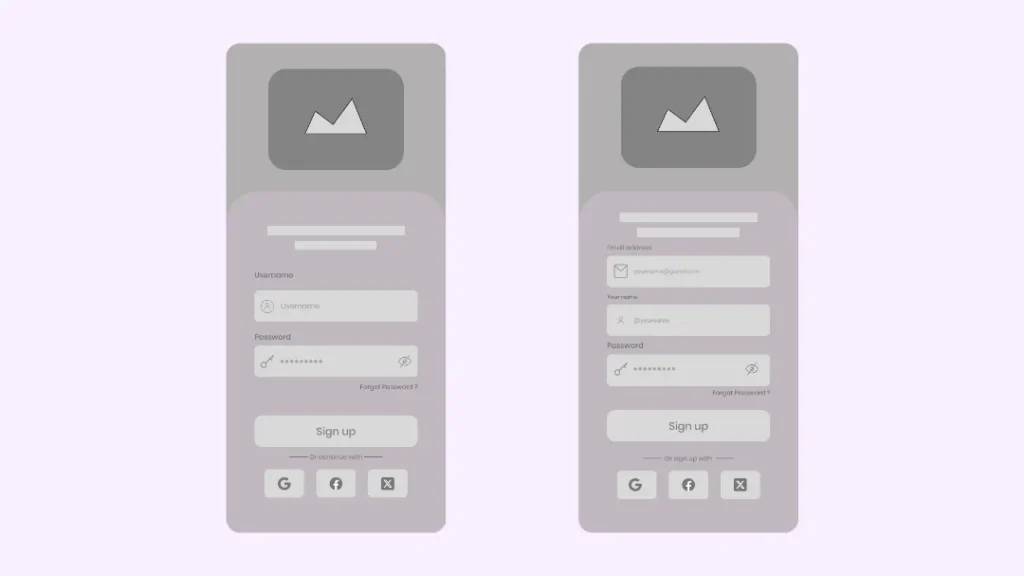
Designing an engaging and efficient signup screen sets the tone for your entire mobile app experience. Strategic design decisions not only influence user retention but also shape first impressions. By making your sign up screen intuitive and user-friendly, you can create a seamless entry point for your audience, instantly increasing the chances of conversion and long-term engagement.
Modern users expect hassle-free onboarding. Reducing complexity and providing clear guidance from the get-go is vital. The goal is to minimize barriers and help users feel at ease, which ultimately leads to lower abandonment rates. A thoughtful design inspires trust from the outset, creating an environment where users are motivated to complete the signup process.
With so many apps vying for attention, streamlining the signup flow goes beyond aesthetics. It’s about prioritizing functionality and understanding what your audience needs from the very first interaction. Features like progressive disclosure, visual consistency, and mobile-friendly layouts all contribute to a welcoming user journey.
User data privacy and security should also be foregrounded. Making users feel confident about sharing their information is pivotal, and transparent communication about data use can help build that trust. Additionally, staying up to date with accessibility guidelines ensures your signup screen is welcoming to users with different needs.
Simplicity in Signup Forms
The foundation of a great signup screen is simplicity. Asking users to provide only the most essential information drastically reduces friction and potential frustration. Limit initial fields to the bare essentials, typically an email address and a password. If extra details are required later, collect them after establishing initial trust. This minimalist approach has been proven to improve conversion and completion rates.
Implementing Social Login Options
Social logins, such as “Sign up with Google” or “Continue with Facebook,” have become a staple of modern apps. By enabling users to bypass form fields and authenticate with accounts they already have, you save them time and energy. Social logins can address one of the most common obstacles, users’ reluctance to remember another password. Additionally, these options foster a sense of familiarity and security, speeding up the onboarding process and potentially increasing signup rates.
Providing Immediate Feedback
Immediate feedback is key to maintaining momentum and reducing errors during signup. If a user enters an invalid email address or a weak password, communicate clearly and instantly with subtle animations, real-time highlights, or short helper messages. Providing visual confirmation when an action is completed, such as a green check or a success message, removes ambiguity and helps users feel confident about their progress. Avoiding delays in feedback also decreases drop-off, since users are less likely to abandon a form that feels responsive and clear.
Maintaining Visual Consistency
Visual consistency across your signup screen ties the experience together and reinforces your brand’s identity. Use the same typography, color palette, and button shapes as the rest of your app. This familiarity signals to users that the signup page is trustworthy and part of the app ecosystem as a whole. Cohesive design is more than an aesthetic choice; it’s about minimizing surprises and reducing mental effort so users can focus on their goal.
Optimizing for Thumb-Friendly Navigation
Most users interact with their phones using their thumbs, especially for initial interactions like signing up. Position essential buttons and input fields within the comfortable reach zone on modern phones. Avoid placing interactive elements too close to screen edges or requiring complex gestures in hard-to-reach areas. Designing for thumb navigation ensures your signup form is approachable on any device, enhancing ease of use for both one-handed and two-handed interactions.
Ensuring Accessibility and Inclusivity
Accessibility should be a cornerstone of any signup screen design. Users with visual, hearing, or motor disabilities must be able to complete your signup steps independently. Incorporate high-contrast color themes so all text remains legible. Include descriptive labels for every input field and support screen readers by properly using ARIA attributes. Ensure interactive elements are large enough to tap, and make the form navigable via keyboard. This approach aligns your app with global accessibility standards and opens it up to a broader audience, which is essential for social responsibility and regulatory compliance. For in-depth accessibility guidelines, refer to the W3C Web Content Accessibility Guidelines.
Minimizing Cognitive Load
To avoid overwhelming the user, break your signup process into logical, manageable steps. Use progressive disclosure: present details only as needed, such as showing password requirements when the user focuses on the password field. Multi-step forms with clear progress indicators can make a longer signup sequence feel less daunting. Segmenting the flow and providing instant validation at each step helps users stay engaged and focused, creating a smoother onboarding journey.
Conclusion
Incorporating best practices into the design of your mobile app signup screens is key to growing your user base and maintaining engagement. Simplicity, social login integration, accessible interfaces, instant feedback, visual harmony, thumb-friendly design, and a focus on reducing cognitive burden all contribute to a positive first impression. By thoughtfully applying these principles, you build a welcoming entryway that supports every user’s journey from download to engagement.
Read Also: techinfobusiness.com